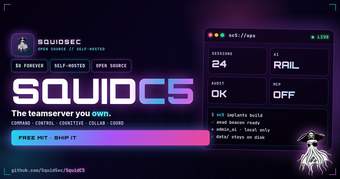
SquidC5: AI-native, self-hosted C5 teamserver for red teams
SquidC5 from SquidSec is a security-first, AI-native C5 teamserver for authorized red team and penetration testing operations. It runs as a self-hosted server that embeds AI agents into command-and-control workflows to coordinate actions and team communication using a standardized interface. The tool targets professional security operators who require local control of engagement data and automated coordination inside controlled testing environments.
What tasks can you actually use the tool for?
SquidC5 functions as an AI-native teamserver intended to coordinate offensive security activities across operators and tooling, producing orchestrated command sequences and agent-managed workflows. Its architecture maps to the five C5 pillars: Command, Control, Cognitive, Collaborative, and Coordination, which guides how it delivers team coordination artifacts. Typical uses are multi-operator engagements, scripted reconnaissance and exploitation chains, and creating an auditable operational record for post-engagement review.
How dependable are automated coordination and control actions?
The tool applies operational controls that shape when and how automation runs, which affects reliability of generated actions. Model Context Protocol (MCP) integration standardizes agent calls, while administrative gating reduces accidental execution. Key safeguards include:
- MCP disabled by default until explicitly enabled
- INKO Sandbox for admin AI execution
- Token-validated admin UI plus policy engine and audit logging
Those safeguards require deliberate administrative decisions before high-impact automation executes, constraining unintended behavior.
What inputs and deployment constraints affect its use?
Deployment is self-hosted and distributed via GitHub for controlled security environments, so teams supply the hosting and connectors that integrate with the MCP ecosystem. The server intentionally minimizes exposed surfaces, with no public OpenAPI documentation and no wildcard CORS by default, which reduces external attack vectors but requires preconfigured integrations. Inputs are therefore tool calls and agent prompts that conform to MCP-compatible connectors provided by the team.
Does it fit into professional red team workflows and OPSEC practices?
The developer built the project for professional red teams and penetration testers who operate under formal OPSEC controls. The project’s focus on self-hosting, gated administrative access, and audit logging aligns with adversary-emulation workflows used by experienced operators. Organizations that maintain staging environments, change control, and policy oversight derive the most operational value from the server’s governance model.
Best for disciplined teams with hosting and governance in place
SquidC5 is a practical option for professional red teams that require on-premises AI coordination and strict OPSEC control. The design assumes teams provide hosting, governance, and administrative oversight, so organizations without those practices receive less immediate value. Plan for configuration and policy tuning before live operations to get predictable, auditable automation behavior.